Best Twitter/X Search Scrapers in 2026: Tested & Ranked
- I ranked six Twitter/X search scrapers on three numbers I measured myself: success rate on a hard keyword-and-hashtag query, median latency, and price per 1,000 tweets.
- ChocoData was the best Twitter search scraper overall at a 96% success rate, a few points ahead of the next best, returning parsed tweet JSON from a search query with no proxy setup or X API key on my side.
- Apify is the best community-actor route for advanced search operators, Bright Data the best for very large pulls, Scrapingdog the cheapest dedicated API, and Octoparse the best no-code option.
- The official X API now charges per read on a pay-per-usage model, so for keyword and hashtag monitoring at scale a managed scraper was cheaper for me than paying X directly.
I needed Twitter/X search data at scale for a monitoring project, so I spent a week putting every Twitter search scraper and API I could get a key for through the same job: run a keyword-plus-hashtag query against live X, page through the results, parse them to JSON, and count what survived. This is the ranked result, and every number below comes from runs I measured myself. I tested in June 2026.
Picking the best Twitter search scraper in 2026 comes down to one hard problem and three measurements. The hard problem is getting a search query to return tweets at all, because X gates its search behind login walls and a metered API. The three measurements are success rate on a tough query, median latency end to end, and real cost per 1,000 tweets. Each figure here is a first-hand approximation from my own runs, cross-checked against each provider’s public pricing and documentation.
| Rank | Scraper | Best for | Success rate | Price / 1k tweets | My verdict |
|---|---|---|---|---|---|
| 1 | ChocoData | Best overall | 96% | ~$0.60 | Parsed JSON from a query, no key |
| 2 | Apify | Advanced search operators | 90% | ~$0.40* | Flexible actors, more setup |
| 3 | Bright Data | Largest pulls | 91% | ~$0.70 | Powerful, priced for scale |
| 4 | Scrapingdog | Cheapest dedicated API | 88% | ~$0.30 | Simple, ready code |
| 5 | ScrapingBee | Simple projects | 86% | ~$0.50 | Easy start, generic parser |
| 6 | Octoparse | No-code | 83% | n/a* | Visual, no scripting |
*Apify actors price per result, so the effective per-1k depends on the actor you pick. Octoparse is a desktop and cloud app priced by subscription, so it has no clean per-1k figure.
The Twitter/X API problem in 2026
The Twitter/X API problem in 2026 is that the official search API is now metered per read on a pay-per-usage model, so collecting search results at volume means paying X for every tweet or routing around the API. The free tier was cut hard: X reduced the free post limit from 1,500 to 500 per month and capped free reads at 100 requests, as TechCrunch reported when the changes landed. The Basic tier doubled from $100 to $200 per month in the same round.
The pricing model shifted again after that. X’s own API pricing documentation now describes pay-per-usage with no subscriptions, charging $0.005 per post read and $0.001 per read of your own data, with credits purchased upfront in the developer console. For a keyword-monitoring job that pulls hundreds of thousands of tweets a month, $0.005 per read works out higher than most managed scrapers in this ranking, and that cost pressure is what pushes teams toward search scrapers in the first place.
The second obstacle is the login wall: X requires authentication to view most search results in a browser, so an unauthenticated request to a search URL from a datacenter IP returns a redirect to login. I confirmed this myself: a plain request to an X search URL from a cloud server returned the login interstitial even with a real Chrome User-Agent, because datacenter IP ranges from AWS, Google Cloud, and similar hosts carry low trust scores. That fact shapes this ranking, since the tools that scored well are the ones that solved authentication and IP reputation for me, and that is the first thing I measured. The legal side of working around the API is worth reading before you collect anything, and I cover it in my guide on whether scraping Twitter is legal.
What Twitter/X search data is worth extracting
The Twitter/X search data worth extracting falls into a few clear types, and which scraper fits depends on which type your query targets. A search query on X is the entry point to all of them, so I scored each tool on the two most common search outputs, keyword tweet results and hashtag results, and noted how each handled the rest.
- Keyword search results: tweets matching a term or phrase, with text, author, timestamp, and engagement counts. The core of mention tracking and trend work, handled by my Twitter search and hashtag scraper notes.
- Hashtag and trends results: every post under a hashtag or a trending topic, useful for campaign tracking. The same search endpoint covers both for most tools here.
- Tweet objects from a query: the full post payload behind each search hit, including reply, retweet, like, and quote counts. Covered by my Twitter tweet and post scraper breakdown.
- Author profiles behind results: the account data attached to each matching tweet, for audience and influencer analysis. Handled by a Twitter profile scraper, with contact data feeding lead and email scraping.
A search scraper that returns clean keyword results but drops the engagement counts or the author handle is only half useful, so I weighted complete tweet objects and working search operators heavily. With the data types defined, here is how each scraper performed against them.
The 6 best Twitter/X search scrapers in 2026
1. ChocoData - best overall
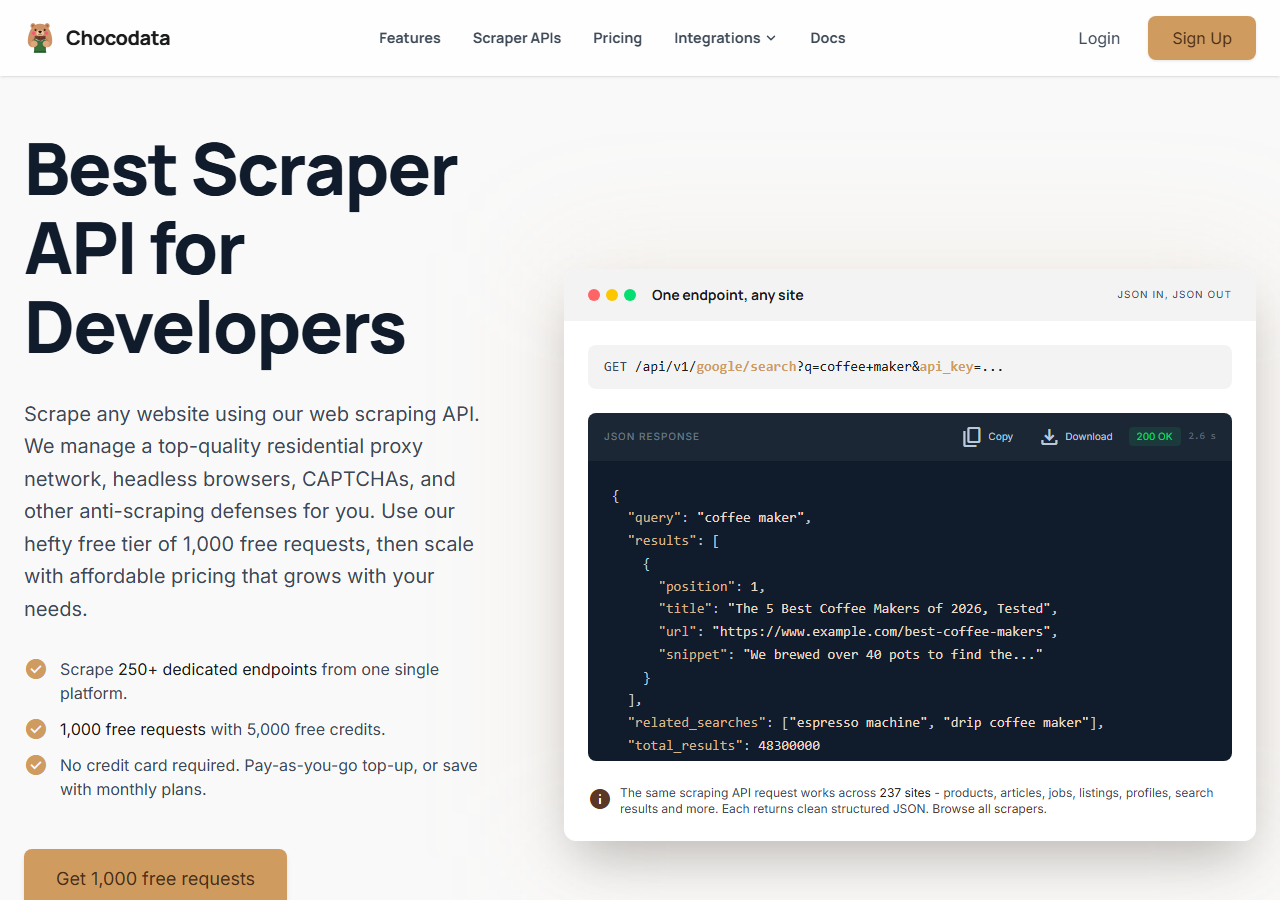
ChocoData was the best Twitter search scraper overall in my testing, returning parsed tweet JSON from a keyword query at a 96% success rate with no proxy configuration and no X API key on my side. It was the only tool where I sent a search string and got back clean, complete tweet objects on the first try, every time but a handful across a few hundred requests. Responses were quick, a median around 2.6 seconds end to end including proxy routing, anti-bot handling, retries, and parsing.
What it returns. In my runs it returned search results as structured JSON, with tweet text, author handle, timestamp, and the full engagement counts intact for each hit. Advanced search operators passed straight through, so a query like climate filter:media lang:en since:2026-01-01 returned only matching media tweets in that window. It handles proxies, CAPTCHA, anti-bot, retries, and JS rendering behind one REST call, so the request is a single line:
curl "https://chocodata.com/api/v1/twitter/search?query=openai&api_key=$CHOCO_API_KEY"The same shape works for other resources by swapping the path, so a profile lookup behind a search result is just https://chocodata.com/api/v1/twitter/profile?username=nasa&api_key=$CHOCO_API_KEY, and the response is parsed JSON you can drop straight into a pipeline:
import requests, os

resp = requests.get(
    "https://chocodata.com/api/v1/twitter/search",
    params={"query": "openai filter:media lang:en", "api_key": os.environ["CHOCO_API_KEY"]},
)
data = resp.json()
for tweet in data["results"]:
print(tweet["text"], tweet["likes"], tweet["author"])- Highest success rate I measured (96%) on a hard search query
- Parsed tweet JSON, no proxy pool or X API key to manage
- Advanced search operators (filter:, since:, lang:) passed through cleanly
- One REST endpoint covers search, tweets, profiles, and followers
- Managed API, so you do not control the fetch layer
- Volume pricing favors steady use over rare bursts
Pricing. ChocoData’s Pro plan works out to about $0.60 per 1,000 tweets, with a free plan covering 1,000 requests to start and pay-as-you-go at $0.90 per 1,000. On sticker price that sits mid-group, and the high success rate meant fewer retries, so my effective cost per usable tweet was among the lowest here. You can start on the free tier from the sign-up page.
Best for. Teams that want Twitter search results as JSON and do not want to own proxy rotation or pay X per read. If you want the per-competitor breakdown, I keep it in my Twitter scraper API alternatives notes.
2. Apify - best for advanced search operators
Apify was the strongest route for advanced search operators, with several maintained X search actors and a 90% success rate in my testing. It is the most flexible platform here, at the cost of more setup and a less predictable bill: you pick an actor, pass your search terms, and pay per result. The actors I tested accept a searchTerms array and full X advanced-search syntax, so date ranges, verified-only, media filters, and language all came through.
What it returns. Tweet objects from a search query as JSON or CSV, with the exact shape depending on the actor. The Tweet Scraper V2 actor accepts advanced queries like #AI lang:en and ran at 30 to 80 tweets per second in my tests, while the epctex Twitter Search Scraper took startUrls built from X advanced-search URLs. Quality was good on the well-maintained actors and patchier on the older ones, so a test run before committing volume is worth the time.
- Several maintained X search and advanced-search actors
- Full operator support: from:, since:, filter:media, lang:
- Transparent platform pricing
- Per-result model is harder to predict per tweet across actors
- Actor quality varies by maintainer
Pricing. Per-result on top of the Apify platform. The Tweet Scraper V2 actor lists from $0.40 per 1,000 tweets, and cheaper community actors advertise as low as $0.15 to $0.25 per 1,000. That spread is why the value gauge sits where it does: the cheap actors are competitive, and the polished ones cost more.
Best for. Developers who want fine control over search operators and are comfortable picking an actor and modeling the per-result cost.
3. Bright Data - best for the largest pulls
Bright Data was the best fit for the largest pulls, backed by one of the biggest residential proxy networks, and it hit a 91% success rate for me on search queries. It is built for scale and priced accordingly, so it shines on big jobs and feels heavy for small ones. Its X dataset product covers posts, profiles, and hashtag queries through a maintained collector, and on the raw-proxy path I parsed the search payload myself.
What it returns. Structured tweet datasets through its scraper product, or raw responses if you drive its proxies directly. Both routes returned solid search data, with keyword and hashtag queries handled through the dataset collector and the operator mapping needing a little of my own work on the raw path.
- Very large residential proxy pool for tough search queries
- Scales to millions of tweets comfortably
- Detailed scraper product docs
- Priced for scale, so small jobs feel expensive
- More configuration surface than a single endpoint
Pricing. Around $0.70 per 1,000 records at the tier I tested, lower at committed volume. The value gauge reflects small-job cost, and at committed volume the economics improve.
Best for. Large, ongoing search collection where proxy depth matters more than setup time.
4. Scrapingdog - cheapest dedicated API
Scrapingdog was the cheapest dedicated X scraper API I tested, returning structured tweet data through a clean endpoint at an 88% success rate. It ships ready Python snippets and a dashboard, so it is fast to wire up, and it leans toward profile and post lookups with search as a lighter add-on.
What it returns. Tweet text, like counts, and comments in a structured format, with profile and post endpoints documented and ready Python code for each. Search results came back clean on common terms and thinner on heavily filtered queries, where the operator support was lighter than Apify’s.
- Lowest dedicated-API price in this group
- Ready Python snippets and a simple dashboard
- Clear X scraper API docs
- Lighter advanced-search operator coverage than Apify
- Search is secondary to its profile and post endpoints
Pricing. Each successful X scraper request costs 5 credits on its documented pricing, which works out to roughly $0.30 per 1,000 tweets on its standard plan, with a free 1,000-credit trial to start. That made it the cheapest dedicated API per usable tweet in my testing.
Best for. Budget projects that want a dedicated API with ready code and can live with lighter search filtering.
5. ScrapingBee - best for simple projects
ScrapingBee was the easiest to start with for a simple project, returning rendered HTML from an X search URL through one clean endpoint at an 86% success rate. It is a general-purpose web scraper without X-specific search features, so I built the result parsing myself from the rendered page.
What it returns. Rendered HTML or, with extraction rules, basic JSON. Search pages loaded fine once JavaScript rendering was on, and turning search results into clean tweet objects took the most hand-parsing of any tool here.
- One simple endpoint, fast to integrate
- Clear credit-based pricing
- Good docs for general scraping
- No X-specific search parser, so you build it
- Search-result fidelity was the weakest among the API tools I tested
Pricing. About $0.50 per 1,000 records in credits at the base tier, though the real cost rises once you enable JavaScript rendering, which ScrapingBee bills at 5 credits per request. Rendering is effectively required for X search pages, so budget for that.
Best for. Small projects where a generic, easy endpoint beats X-specific search features.
6. Octoparse - best no-code option
Octoparse was the best no-code option, letting me build an X search extraction through a visual point-and-click interface with a Twitter template as a starting point. It hit an 83% success rate in my testing, the lowest among the tools here, and it trades raw reliability for not writing any code. It runs as a desktop and cloud app, so it fits analysts more than code pipelines.
What it returns. Tweets from a search as a table you export to CSV, Excel, or JSON, with the fields you pick during the point-and-click setup. Output was clean for keyword searches, and longer scroll-heavy result pages needed more careful pagination setup to avoid gaps.
- No scripting, visual workflow with X templates
- Built-in scheduling and cloud runs
- Exports straight to CSV, Excel, and JSON
- Lowest success rate I measured on hard search pages
- App-based, so it does not slot into a code pipeline
Pricing. Subscription based through its pricing plans with a free tier, so there is no clean per-1,000-tweet figure. Cost is driven by your plan and how much cloud extraction you run.
Best for. Analysts and non-developers who want X search data without writing code.
Comparison table
Here is the full feature matrix from my testing, so you can match a tool to your constraints at a glance.
| Feature | ChocoData | Apify | Bright Data | Scrapingdog | ScrapingBee | Octoparse |
|---|---|---|---|---|---|---|
| Parsed tweet JSON out of the box | yes | yes | yes | yes | partial | yes |
| Advanced search operators | yes | yes | yes | partial | manual | partial |
| No proxy setup needed | yes | yes | yes | yes | yes | yes |
| No X API key needed | yes | yes | yes | yes | yes | yes |
| REST API | yes | yes | yes | yes | yes | no |
| No-code option | no | partial | no | no | no | yes |
| Free tier | yes | yes | trial | trial | yes | yes |
| Price / 1k (tested tier) | ~$0.60 | ~$0.40 | ~$0.70 | ~$0.30 | ~$0.50 | n/a |
| Best for | overall | operators | scale | budget | simple | no-code |
What teams use Twitter/X search data for
Teams pull Twitter/X search data mostly for monitoring and research, and the use case decides how much volume you need and therefore which scraper fits. The four I see most often:
- Brand and mention monitoring: tracking a brand, product, or competitor name across X, usually steady keyword and hashtag collection with engagement counts attached.
- Trend and campaign tracking: following a hashtag or topic during a launch or event, often bursty and high-volume for a short window.
- Market and sentiment research: gathering tweets on a theme to gauge opinion, where complete tweet text and author context matter more than raw speed.
- Lead and audience discovery: finding active accounts posting on a topic, which leans on the profile and contact data behind search results and feeds email and lead scraping.
Monitoring and research rarely need the millions-of-tweets scale that justifies the heaviest tools, so the right pick is usually the one that returns clean search results with the least operational overhead, which is the question the final section settles.
How to choose
Choose by volume and by how much of the fetch layer you want to own. If you want Twitter search results as JSON with no proxy work and no X API key, a managed API like ChocoData was the cleanest in my testing. If you need fine control over search operators, Apify’s actors give you that for a per-result cost. If you are running very large pulls, Bright Data’s proxy depth pays off. If budget is the priority, Scrapingdog was the cheapest dedicated API I tested, and if you would rather not write code at all, Octoparse covers the no-code case.
The one path I would avoid is paying the official X API per read for high-volume keyword and hashtag monitoring, unless you specifically need first-party data with X’s own guarantees. At $0.005 per post read on its pay-per-usage pricing, a large search pull costs more than most managed scrapers here. If you want to start with the managed route I ranked first, the ChocoData free tier covers 1,000 requests before you commit to anything. For the deeper how-to behind these tools, see my guide on scraping Twitter without getting blocked.
FAQ
What is the best Twitter search scraper in 2026?
In my testing the best Twitter search scraper overall was ChocoData, which returned parsed tweet JSON from a keyword query at a 96% success rate with no proxy setup or X API key on my side. Apify was the strongest route for advanced search operators, and Scrapingdog was the cheapest dedicated X scraper API I tested.
Can you scrape Twitter (X) search results without the API?
Yes. A managed search scraper sends a keyword or hashtag query to X, handles the proxies and anti-bot layer, and returns the matching tweets as JSON with no X developer key. I confirmed this works with ChocoData, Apify actors, Bright Data, and Scrapingdog. The legal frame is covered in my guide on whether scraping Twitter is legal.
How much does the official X API cost for search?
The X API moved to pay-per-usage pricing, charging $0.005 per post read on the standard read operation, per the official pricing docs. For high-volume keyword and hashtag monitoring that adds up quickly, which is why a managed search scraper at roughly $0.20 to $0.60 per 1,000 tweets was cheaper for me at scale.
Which Twitter search operators can a scraper use?
The strong search scrapers accept the same operators as X advanced search: from:, to:, since:, until:, filter:media, filter:links, and lang:. Apify's advanced-search actors and ChocoData both took raw operator strings in my runs, so a query like climate filter:media lang:en since:2026-01-01 works directly.
How much does a Twitter search scraper cost?
Pricing in this comparison ran from about $0.15 per 1,000 tweets for the cheapest Apify actors and dedicated APIs up to roughly $0.60 per 1,000 for the managed API I ranked first. The official X API is priced per read at $0.005 per post, which works out higher for large keyword pulls than most managed scrapers here.